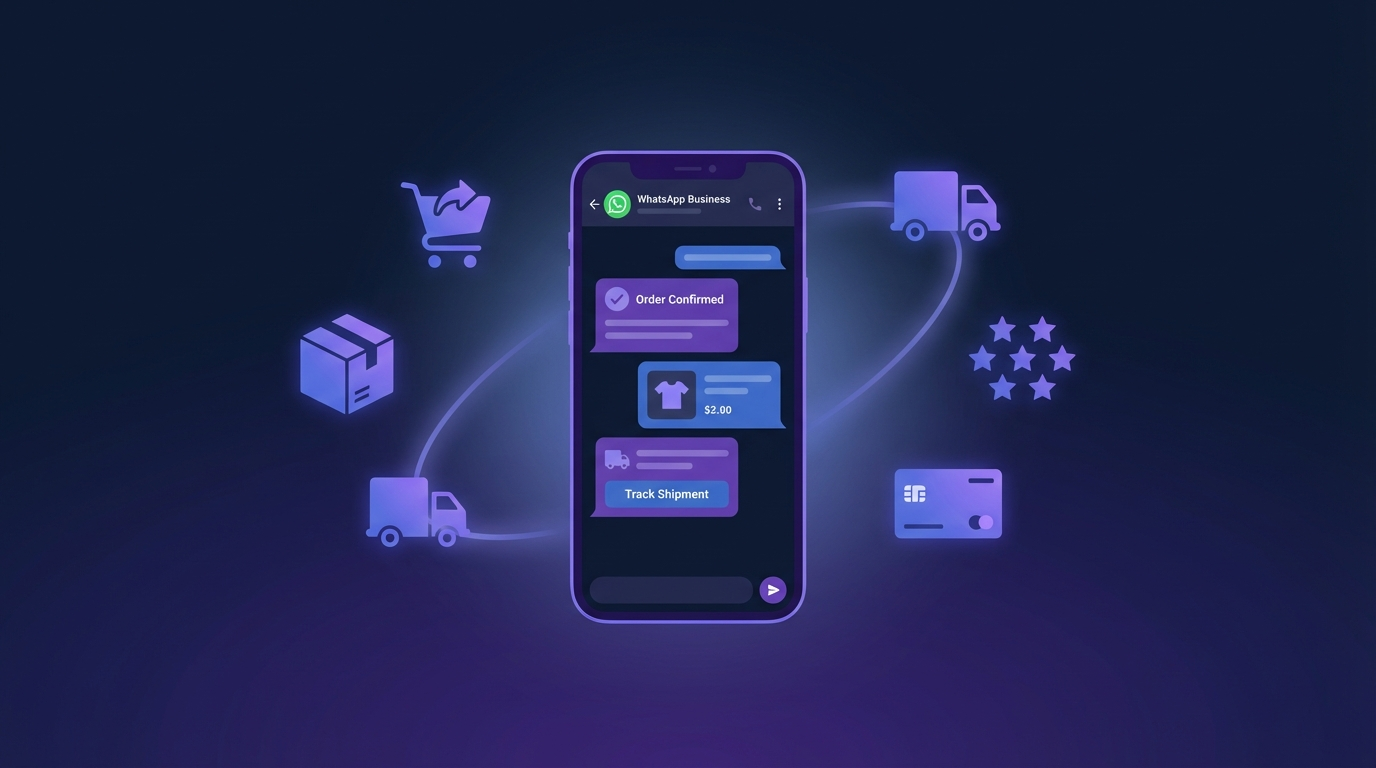
WhatsApp compte aujourd'hui plus de 2 milliards d'utilisateurs dans plus de 180 pays, et toute une génération de marchands e-commerce y a discrètement bâti des programmes de revenu récurrent. Les chiffres sont frappants : les messages business sur WhatsApp atteignent 95-98% de taux d'ouverture (Sinch Engage, 2026), les utilisateurs répondent en 45-90 secondes en moyenne, et les benchmarks vendeurs rapportent un ROI de 15 à 60× sur les campagnes e-commerce. L'email, en comparaison, plafonne à 20-25% d'ouverture et un ROI à un chiffre.
Ce guide est le manuel opérationnel pour monter un programme WhatsApp marketing qui scale — de la validation de votre premier template aux broadcasts, séquences et flows qui font vraiment bouger le revenu. C'est la base que nous recommandons à tout marchand Qyvo avant d'empiler des tactiques comme la récupération de panier abandonné ou le service piloté par IA.
Pourquoi WhatsApp éclipse maintenant l'email pour l'e-commerce
L'email n'est pas cassé — il est saturé. Une boîte mail professionnelle reçoit 121 messages par jour en moyenne, et votre belle promo y concourt avec newsletters, OTP, invitations calendrier et une longue traîne de bruit automatisé. Le résultat : un plafond d'ouverture à 20-25% qui n'a quasi pas bougé en dix ans.
WhatsApp vit dans une couche d'attention totalement différente. C'est l'endroit où les utilisateurs parlent à leur famille, à leurs proches et à un petit nombre d'entreprises sélectionnées. 74% des consommateurs vérifient leurs notifications dans les cinq minutes, et il n'y a pas de dossier spam, pas d'onglet promotions, pas de filtre "newsletters" coupé. Quand votre message arrive, il est vu.
L'écart de performance, en synthèse :
| Métrique | ||
|---|---|---|
| Taux d'ouverture | 20-25% | 95-98% |
| Temps de réponse médian | 6h+ | 45-90 secondes |
| CTR promotionnel | 2-3% | 5-15% |
| Conversion e-commerce (broadcast) | <1% | 3-7% |
| Conversion e-commerce (conversationnelle) | n/a | 45-60% |
| ROI typique | 3-5× | 15-60× |
L'écart n'est pas un argument marketing — c'est une caractéristique structurelle de la place du canal dans l'attention utilisateur. Traité comme un canal service-first, WhatsApp devient le canal direct le plus performant disponible aujourd'hui pour l'e-commerce.
La fenêtre de conversation 24h — le mécanisme qui change la donne
La plupart des nouveaux venus sur WhatsApp Business posent la mauvaise première question : "Combien coûte chaque message ?" La bonne question est : "Suis-je à l'intérieur ou à l'extérieur de la fenêtre 24h ?"
WhatsApp Business Platform divise chaque interaction en deux états :
- Dans la fenêtre 24h — le client vous a envoyé un message dans les dernières 24 heures. Vous pouvez répondre avec n'importe quoi : texte libre, images, notes vocales, liens. Pas de template à valider, pas de coût par message.
- Hors fenêtre — vous devez utiliser un template pré-approuvé, et vous payez à la conversation.
Cette fenêtre est l'actif le plus sous-exploité du marketing WhatsApp. Chaque réponse client est un canevas zéro-coût de 24 heures où le taux de conversion écrase n'importe quel envoi templaté. Les marques qui gagnent sur WhatsApp construisent toute leur opération — support, récupération, upsell, rétention — pour maximiser le temps que les clients passent dans cette fenêtre.
En pratique, cela signifie :
- Ouvrir la conversation avec des messages qui invitent à répondre (questions, sondages, demandes produit ciblées)
- Router les réponses entrantes vers un humain ou un agent IA bien réglé en quelques minutes
- Traiter la fenêtre comme votre surface de conversion la plus haute, pas comme un dépassement support
Démarrer avec WhatsApp Business API : ce qui compte vraiment
WhatsApp Business existe en deux versions, et les marchands les confondent constamment :
- WhatsApp Business App — l'app gratuite. Plafonnée à 256 contacts par broadcast, pas d'API, pas d'automation réelle. Parfait pour le commerce de quartier.
- WhatsApp Business Platform (l'API) — ce que vous voulez. Échelle illimitée, automation, intégrations.
L'accès à la plateforme passe par un Business Solution Provider (BSP). Qyvo s'appuie sur 360Dialog avec NOVENSA comme Meta Tech Provider. Les étapes de setup qui comptent :
- Vérifier votre compte Facebook Business — l'identité de meta-niveau qui possède votre numéro WhatsApp.
- Faire valider le nom de votre entreprise — Meta relit le display name. Évitez les termes génériques ("Shop", "Store") et tout ce qui touche au droit des marques.
- Provisionner un numéro de téléphone dédié à WhatsApp Business. Ça peut être un numéro qui n'a jamais servi sur WhatsApp grand public, ou un numéro que vous migrez (avec un délai de carence de 7 jours).
- Configurer votre Business Profile — logo, description, site, horaires, adresse. C'est ce que voient les utilisateurs quand ils tapent sur votre numéro.
- Soumettre vos premiers templates pour validation avant tout lancement.
La plupart des marchands se bloquent à l'étape 5. Les templates prennent 24-48h à passer en revue et le rejet est fréquent — généralement pour langage trop promotionnel ou variables manquantes. Prévoyez au moins une itération.
Templates : les quatre catégories et leur impact sur votre unit economics
Hors de la fenêtre 24h, chaque message envoyé est un template, et chaque template tombe dans l'une des quatre catégories de conversation. Meta tarife les conversations différemment par catégorie :
- Marketing — promotions, broadcasts, rappels de valeur. Niveau le plus cher.
- Utility — confirmations de commande, mises à jour d'expédition, rappels "votre panier est toujours là". Niveau payant le moins cher.
- Authentication — OTP et codes de connexion. Niveau spécialisé avec règles strictes.
- Service — réponses envoyées dans la fenêtre 24h. Gratuit.
L'écart de prix entre marketing et utility est d'environ 2-3× selon les pays. Pour une boutique qui envoie 50 000 messages transactionnels par mois, mal catégoriser des notifications d'expédition en marketing au lieu d'utility crame discrètement des chiffres à quatre chiffres en dollars sans aucun bénéfice.
Quelques règles qui composent dans le temps :
- Catégorisez les nouveaux templates en utility par défaut, sauf s'ils sont explicitement promotionnels. La revue Meta dégradera si vous taggez trop agressivement, mais elle approuvera aussi un template à la frontière en utility là où un tag marketing agressif serait rejeté.
- Utilisez authentication pour les OTP — la catégorie est moins chère que marketing et Meta l'applique avec moins d'aspérité en échange de règles de contenu plus strictes (pas de contenu promotionnel autorisé).
- Maximisez le temps dans la fenêtre 24h — chaque réponse que vous déclenchez transforme du trafic payant en conversation service-tier gratuite.
Broadcasts vs séquences vs flows : choisir votre primitive
Le marketing WhatsApp n'est pas une chose. C'est trois primitives qui résolvent des problèmes différents :
Les broadcasts sont des campagnes one-shot envoyées à un segment à une heure choisie — un push Black Friday, un lancement produit, une invitation événement. C'est l'équivalent WhatsApp d'un blast email. Les CTR tournent généralement à 5-15% sur une liste opt-in propre, jusqu'à 40-60% sur des promos e-commerce chaudes avec codes de réduction. À utiliser pour les moments time-bound qui s'adressent à tout un segment.
Les séquences sont des drip campaigns pré-construites qui se déclenchent sur un trigger — checkout abandonné, post-achat, inscription. Chaque contact reçoit la même série de messages espacés dans le temps, personnalisés avec ses données. Les séquences, c'est là où vous bâtissez du revenu evergreen : welcome series, parcours commande, boucles de re-engagement. Le revenu moyen par destinataire sur séquences est de 3-10 $+, sensiblement plus élevé que les broadcasts.
Les flows sont des expériences interactives multi-étapes — un quiz qui recommande un produit, un assistant retours, un parcours de réservation. Ils vivent dans le chat WhatsApp et donnent une impression native. C'est dans les flows que le commerce conversationnel atteint ses 45-60% de conversion — mais ils demandent plus de design, donc la plupart des marchands y arrivent leur deuxième trimestre sur la plateforme, pas le premier.
La progression qui fonctionne : lancer en broadcasts pour valider votre liste, empiler les séquences pour l'evergreen, puis bâtir les flows une fois que vous savez quels moments transactionnels valent l'engineering.
Une welcome series qui ne ressemble pas à du spam
La welcome series est la séquence que tout marchand WhatsApp devrait livrer. Elle tourne une fois, à l'opt-in du client, et donne le ton de tous les messages suivants.
Une version qui performe :
- Message 1 — dans la minute suivant l'opt-in (utility) : "Bonjour {first_name}, c'est validé. On vous enverra vos confirmations de commande ici, plus un petit heads-up avant nos meilleurs drops. Pour avoir un humain en chat, il suffit de répondre à un message — on répond généralement dans l'heure."
- Message 2 — 24h après (marketing) : "Petite intro — voilà ce qu'on fait chez {brand} [lien vers une page story de 60 secondes]. Nos best-sellers du moment : [carrousel]. Répondez CATALOG pour parcourir tout le catalogue."
- Message 3 — 4 jours après (marketing, si pas encore d'achat) : Une incitation premier achat — petite réduction, seuil de livraison gratuite, ou un bundle curé. Time-bound mais pas agressif.
Ce qu'on évite : pas de messages quotidiens, pas de langage marketing dans le premier touch, pas d'urgence en majuscules "ACHETEZ MAINTENANT". La structure assume que l'utilisateur est occupé et que la relation est longue.
La boucle post-achat où la plupart des boutiques laissent de l'argent sur la table
La fenêtre entre l'achat et la livraison est le foncier le plus sous-utilisé de l'e-commerce. Les clients sont au pic d'engagement — ils veulent savoir où est leur commande, ce qui suit, et ils sont déjà opt-in pour les mises à jour transactionnelles.
La boucle post-achat qui fonctionne :
- Confirmation de commande (utility, immédiat) — "Commande #1042 confirmée, total {amount}. Le lien de suivi arrivera à l'expédition."
- Mise à jour expédition (utility, à l'expédition) — "Votre commande est partie ! Suivi ici : [lien]."
- Confirmation de livraison (utility, à la livraison) — "Livré. Quelque chose manque ou est abîmé ? Répondez dans les 7 jours et on règle ça."
- Demande de feedback (utility ou service, +3 jours) — "Comment ça se passe ? Tapez un chiffre 1 à 5."
- Réassort / cross-sell (marketing, +30-90 jours) — Déclenché par type de produit. Abonnement café ? +30 jours. Skincare ? +45. Mode ? +90 avec un angle "voilà ce qui est nouveau depuis votre dernier achat".
L'étape 4 est la machine à conversion. Une simple note de 1 à 5 ouvre la fenêtre 24h, et le taux de réponse moyen sur une question feedback en un tap est de 30-40%. Chaque réponse est une surface conversationnelle gratuite pour le cross-sell, la récupération support ou la collecte d'avis.
Conformité et délivrabilité : garder votre numéro vivant
WhatsApp est le canal de messagerie à grande échelle le plus strict du marché, et les marchands qui traitent la conformité comme une charge se font throttler. Les règles sont simples mais appliquées sévèrement :
- L'opt-in explicite est requis avant tout message initié par l'entreprise. Les cases pré-cochées ne comptent pas. Le wording d'opt-in doit mentionner WhatsApp explicitement et le type de messages.
- Chaque template marketing doit proposer une voie d'opt-out — "Répondez STOP pour vous désabonner" est le standard.
- Le taux de blocage déclenche le throttling. Si trop de destinataires bloquent ou signalent vos messages, Meta abaisse votre tier (qui plafonne votre volume quotidien, peu importe votre plan).
- Les templates sont relus. Le langage promotionnel agressif ("DERNIÈRE CHANCE !" sans deadline, urgence trompeuse) est rejeté.
- Les caps de fréquence comptent — Meta ne publie pas de limite dure mais pénalise les numéros qui envoient plus de quelques messages marketing par destinataire et par semaine.
Les marchands qui traitent ces contraintes comme un fossé concurrentiel gardent leur tier élevé, messagent de manière fiable toute leur base, et composent. Ceux qui les traitent comme des nuisances se font rate-limiter dans leur premier trimestre et disparaissent silencieusement des chats de leurs clients.
Mesurer le succès : les métriques qui comptent
La plupart des dashboards WhatsApp vous noient sous la vanité. Les quatre chiffres qui pilotent vraiment l'opération :
- Taux conversationnel — part des messages sortants qui déclenchent une réponse. Sain : 10%+. Plus haut signifie que vous êtes plus souvent dans la fenêtre 24h, donc coût/message plus bas et conversion plus haute.
- Coût par conversation par catégorie — suivez utility, marketing et authentication séparément. Le ratio entre eux dit si votre mix de catégories est efficient.
- Revenu attribué par destinataire — commandes × panier moyen ÷ contacts messagés, avec une fenêtre d'attribution de 7 jours. Doit dépasser 2-6 $ sur les broadcasts, 3-10 $+ sur les séquences.
- Taux de blocage — bloqués ou signalés ÷ envoyés. À surveiller chaque semaine. Au-dessus de 0,5% c'est jaune, au-dessus de 1% c'est rouge et votre tier est en risque.
Métriques de vanité à ignorer : volume total envoyé, taux d'ouverture brut (c'est 95%+ partout), et CTR au niveau message sans contexte d'attribution.
Par où commencer cette semaine
Si vous démarrez WhatsApp à zéro sur une boutique e-commerce, la semaine à plus fort levier est plus courte que vous ne pensez :
- Jour 1-2 — provisionnez votre numéro, vérifiez votre Business Manager, soumettez votre Business Profile.
- Jour 3-4 — soumettez quatre templates : confirmation de commande, mise à jour expédition, panier abandonné, message utility de bienvenue. Attendez la validation.
- Jour 5 — câblez votre plateforme e-commerce (Shopify, WooCommerce) pour déclencher ces templates sur les bons événements. Ajoutez la case opt-in WhatsApp au checkout.
- Jour 6-7 — soft-lancez sur vos 500 derniers clients opt-in. Surveillez taux de blocage, taux de réponse et conversion. Réparez ce qui casse avant de scaler.
À la fin du premier mois, un setup propre récupère 15-20% des paniers abandonnés, double votre throughput service client dans la fenêtre 24h, et ajoute 5-10% au taux de réachat via la boucle post-achat. À partir de là, broadcasts et flows composent la fondation.
Le marketing WhatsApp n'est pas un email plus rapide — c'est un canal différent avec sa propre physique. Construisez pour la fenêtre 24h, traitez la conformité comme une feature, et le reste suit.
Prêt à lancer le marketing WhatsApp pour votre boutique e-commerce ? Démarrez avec Qyvo — le plan Pro à 59 $/mois inclut la stack automation complète : agent IA, séquences, flow builder et intégrations Shopify, WooCommerce, Klaviyo et Omnisend. Ou comparez les plans sur la page tarifs.